
Language
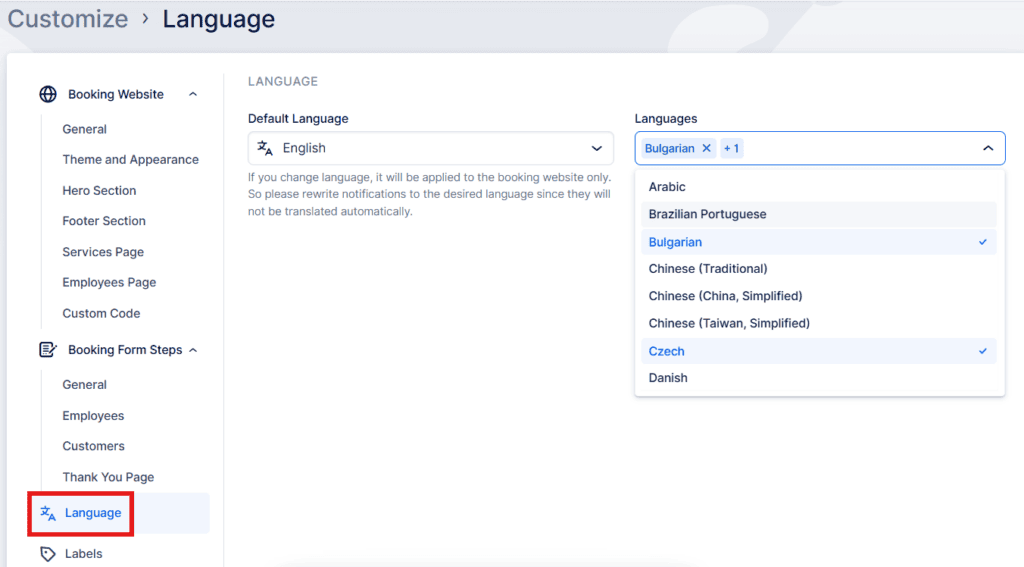
This section in Bookablesites has two main purposes:
- When the Multilingual Support feature is enabled, you can choose the default language for both your booking website and your invoices. You can also add additional languages, which will then appear in the language selection dropdown on your booking website, allowing visitors to view content in their preferred language.
- If Multilingual Support is disabled, only the Default Language dropdown will be visible. In this case, you simply select the single language your booking website will use for display.
Please Note:
- These language settings apply exclusively to your booking website. To modify the language of the Admin Section, navigate to General Settings.
- Currently, Bookablesites supports the following languages: Brazilian Portuguese, Bulgarian, Czech, Dutch, English, French, German, Italian, Japanese, Russian, Serbian, Spanish, Swedish, Thai, and Turkish.
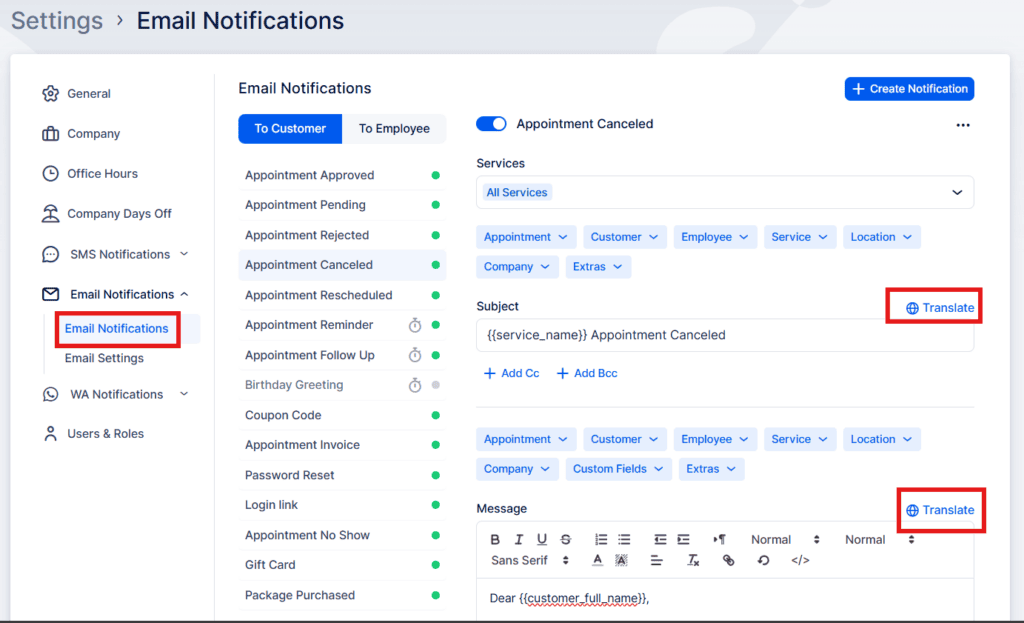
By default, notification templates in Bookablesites are available only in English. However, you can easily edit and customize these templates to include content in any language you prefer.
If you’ve enabled the Multilingual Support feature, you’ll have the option to create separate templates for each language listed in the Languages dropdown. To do so, click the “Translate” button located in the upper right corner above the template’s title and email body.
Bookablesites offers 31 languages (English included) but we’re constantly adding more:
- Arabic
- Brazilian Portuguese
- Bulgarian
- Chinese (Traditional)
- Chinese (China, Simplified)
- Chinese (Taiwan, Simplified)
- Czech
- Danish
- Dutch
- Finnish
- Estonian
- French
- French (Belgium)
- German
- Greek
- Hebrew
- Hungarian
- Indonesian
- Italian
- Japanese
- Korean
- Malay
- Norwegian
- Polish
- Portuguese
- Romanian
- Russian
- Serbian
- Slovak
- Slovenian
- Spanish
- Swedish
- Thai
- Traditional Chinese
- Turkish
- Ukrainian
- Vietnamese
- West Flemish (Belgium)
Labels
With Bookablesites, you can fully customize the labels that appear across your booking form to match your preferred terminology or language style. If you leave any of these fields empty, the default labels will automatically be used instead.
At present, there are over 50 editable labels available for translation or modification, and the list continues to grow. If you notice a specific label that isn’t yet included, you can reach out to us through the support beacon located at the bottom-right corner of the page to request its addition.
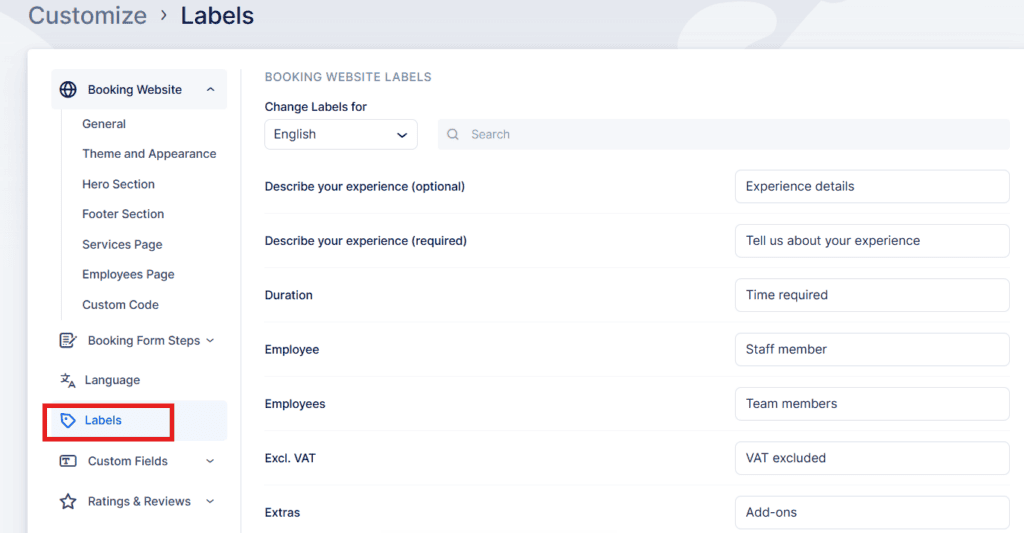
Please note that these labels will be applied on the booking website, not in the back-end (Admin) section of Bookablesites.