
Automatically transfer customer details from your Bookablesites booking system to your Acumbamail lists.
When a customer books through Bookablesites, their contact information is immediately sent to the Acumbamail list you specify. This connection works with bookings made via Bookablesites forms on your website, enabling you to send emails, newsletters, and promotions through Acumbamail.
The Acumbamail connector for Bookablesites is a premium integration and counts toward your total Custom Features & Integrations.
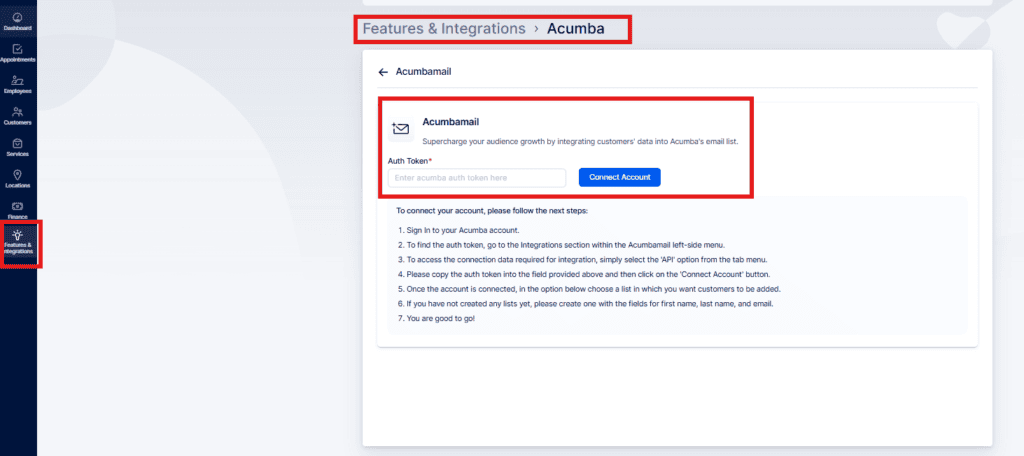
To configure Acumbamail, go to Features & Integrations in Bookablesites, find Acumbamail, and click “Enable.” After activation the card will refresh and show a “Set Up” button — click it to open the configuration screen.
The setup page provides instructions for linking your Acumbamail account. Enter your Acumbamail auth token and click “Connect Account” to begin the integration.
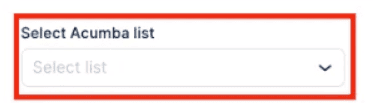
After connecting Acumbamail to your Bookablesites account, a dropdown will appear listing your Acumbamail lists. Make sure the target list exists in Acumbamail, then select it from the dropdown.
After choosing the list, click “Save Changes” at the bottom of the page to store your settings.
From then on, customers booking through your booking site will see a “Subscribe to email list” checkbox. If they tick it during booking, their contact details will be automatically added to the Acumbamail list you selected.