
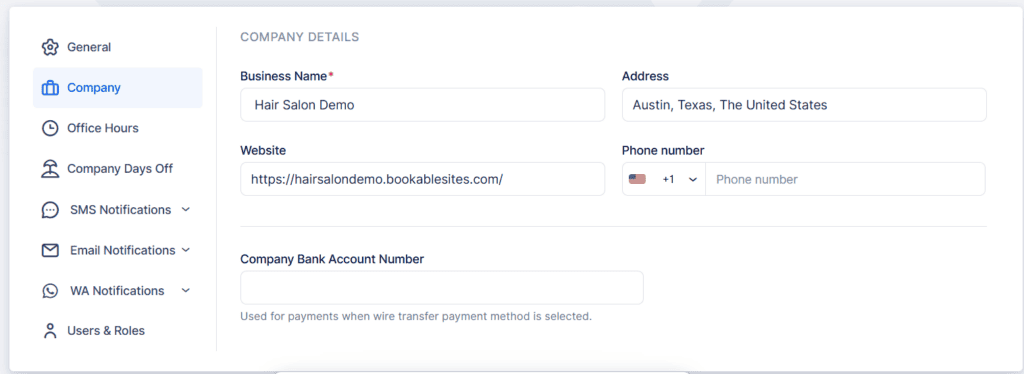
When you completed the setup process in BookableSites, many fields in Company Settings should already contain your information. Here’s what to check:
- Business Name: Your company name will be displayed in notifications and shown as contact information on your Booking Website.
- Address: Input your company’s address. This information can be included in customer notifications.
- Website: Add your company’s official website URL. This URL can be featured in notifications as well.
- Phone Number: Your company’s contact telephone number.
- Company Bank Account Number: Provide your business bank account details. When added, these details will be visible on customer invoices, enabling bank transfer payments when online payment methods aren’t activated.
Once you’re done configuring the Company settings, make sure to click on the “Save Changes” button that pops up at the bottom of the page.